
Living Museum of Learning
William's First Shapes in Swift
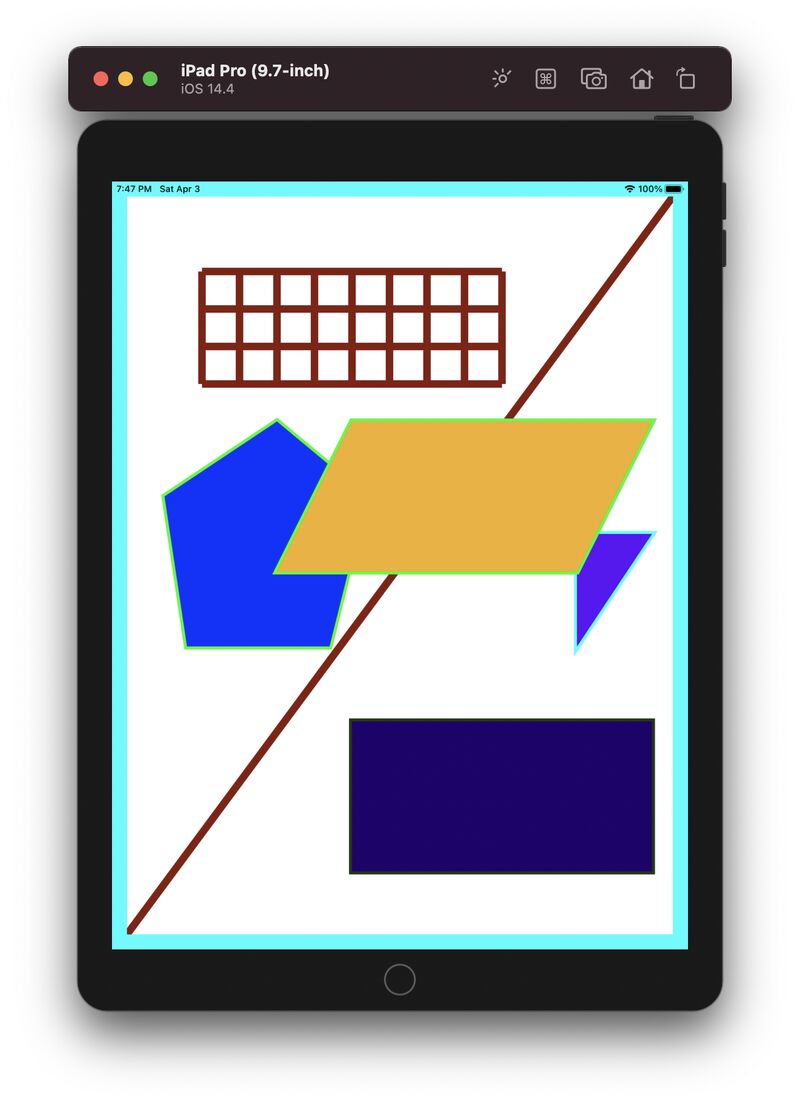
For the first time, William created a scene entirely with Swift in Xcode.
Running in the iPad simulator, his program drew a collection of geometric figures:
a grid, a long diagonal line stretching from bottom-left to top-right, a parallelogram, a pentagon, a triangle, and a rectangle.
Together, they filled the canvas with surprising balance.
After William completed the rectangle—but before he started the parallelogram—I sent him a short note:
"Very good 🌹
A parallelogram has two pairs of parallel lines — it's like pushing the top of a rectangle to the right (or left)."
One small geometric idea opened the door to the next shape.
What impressed me most wasn't the picture.
It was the code behind it.
William carefully documented his work with comments such as:
// Code for new pentagon
// Fourth vertical line
// Fifth vertical line
// Sixth vertical line
...
// Ninth vertical line
Those comments reveal something important.
He wasn't simply telling the computer what to draw.
He was organizing his own thoughts as he built the program.
Programming is more than making something appear on a screen.
It is learning to think in structure.
Each line of code.
Each comment.
Each geometric figure.
Together, they connect logic, mathematics, communication, and design.
A beginner can create a surprisingly rich geometric scene with simple building blocks.
Complex drawings emerge one carefully organized step at a time.
Learning to write clear code is also learning to organize clear thinking.